Automated Approvals, Quotes & Document Routing
Purchase orders, change orders, client onboarding, and municipal or legal document reviews constantly stall because they rely on someone remembering to forward an email, attach the right PDF, and update a tracker by hand.
Requests route to the right manager automatically, get approved in one click from Outlook, Teams, or Gmail, and generate filed PDFs without human copy-pasting.
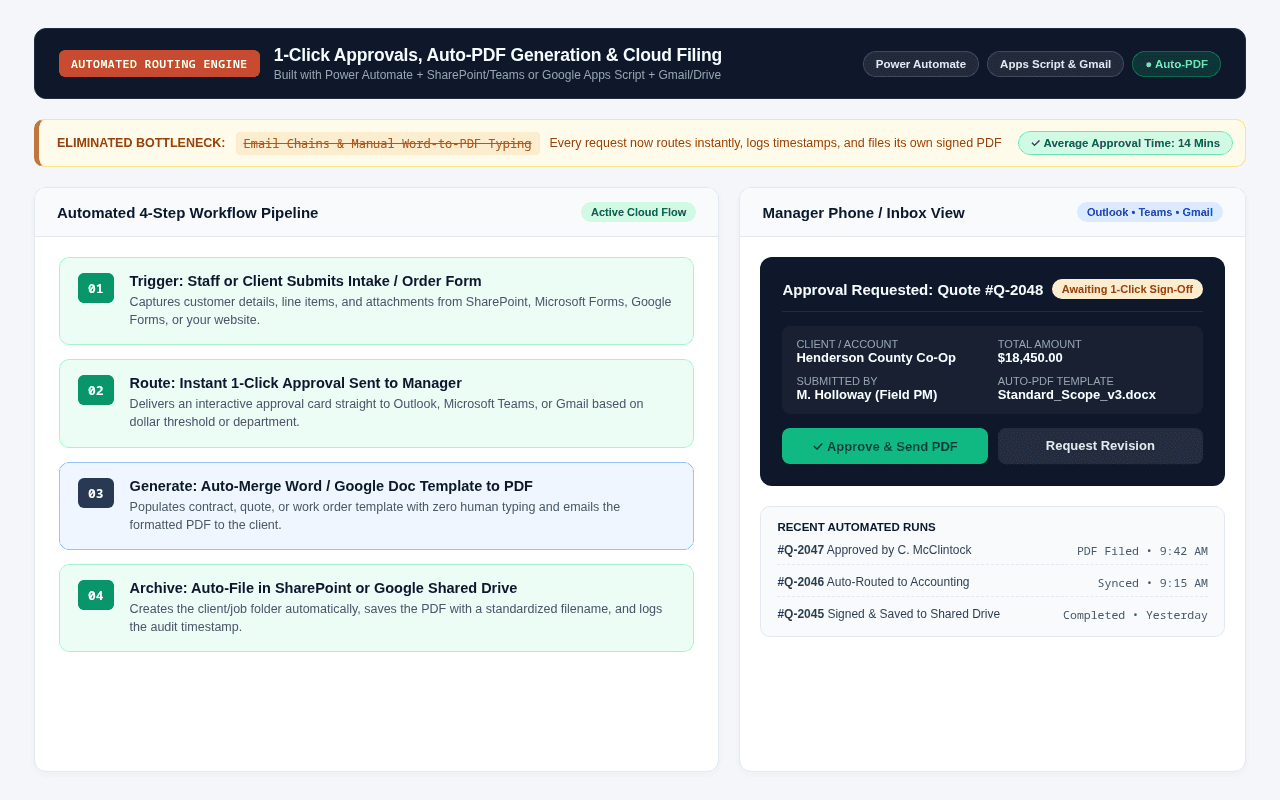
- Critical quotes, purchase orders, or client intake forms sit buried in someone’s inbox with zero visibility into who has the ball
- Office staff copy-paste names, addresses, and line items from emails into Word documents just to save and send a PDF
- Signed documents end up scattered across individual email accounts instead of filed in the right client or job folder
- When an auditor or client asks when something was approved, nobody has a clean timestamped log
- Single intake form triggers the entire workflow automatically the second a request is submitted
- Managers receive a 1-click [Approve / Reject] card right inside Microsoft Teams, Outlook, or Gmail on their phone
- Approved requests automatically populate your Word/Google Doc template, convert to PDF, and email the client or vendor
- Every file is automatically named, filed into the right SharePoint or Google Shared Drive folder, and logged with a full audit trail
Built Inside Your Ecosystem: Microsoft 365 or Google Workspace
Whether your business runs on Microsoft 365 (SharePoint, Excel, Outlook) or Google Workspace (Google Sheets, Drive, Gmail)—or wants to migrate from one to the other—we build the solution inside the tools you already pay for:
How We Build It in Microsoft 365
Power Automate + SharePoint Online + Teams & Outlook
- Build multi-stage parallel or sequential Power Automate approval flows connected to SharePoint Lists and Microsoft Forms.
- Deliver actionable Adaptive Cards straight to Microsoft Teams and Outlook so managers can approve in one click without opening a browser.
- Auto-generate formatted PDFs/contracts and file them into structured SharePoint Document Libraries with metadata tags.
How We Build It in Google Workspace
Google Apps Script + Gmail + Google Docs & Shared Drives
- Connect Google Forms or custom web intake forms directly to Google Sheets and Apps Script automation.
- Send instant 1-click approval emails via Gmail and automatically merge approved data into Google Docs templates to produce clean PDFs.
- Auto-create client or project folders inside Google Shared Drives and route notifications to Google Chat or SMS.
How We Scope & Deliver It
No open-ended hourly surprises. Every migration, spreadsheet automation, or SharePoint build follows four straightforward steps:
Map Your Current Paperwork Loop
We look at the exact forms, emails, and PDF templates your staff currently passes around by hand.
Build the 1-Click Approval Trigger
We configure Power Automate or Google Apps Script to route requests to the right decision-maker based on dollar amount, department, or job type.
Connect Auto-PDF & Folder Filing
Once approved, the system generates the PDF document, sends the confirmation email, and files the record into SharePoint or Google Drive.
Live Dashboard & Audit Trail
You get a single live view showing every pending, approved, and completed item—so nothing ever falls through the cracks.
Other Cloud & Automation Blueprints
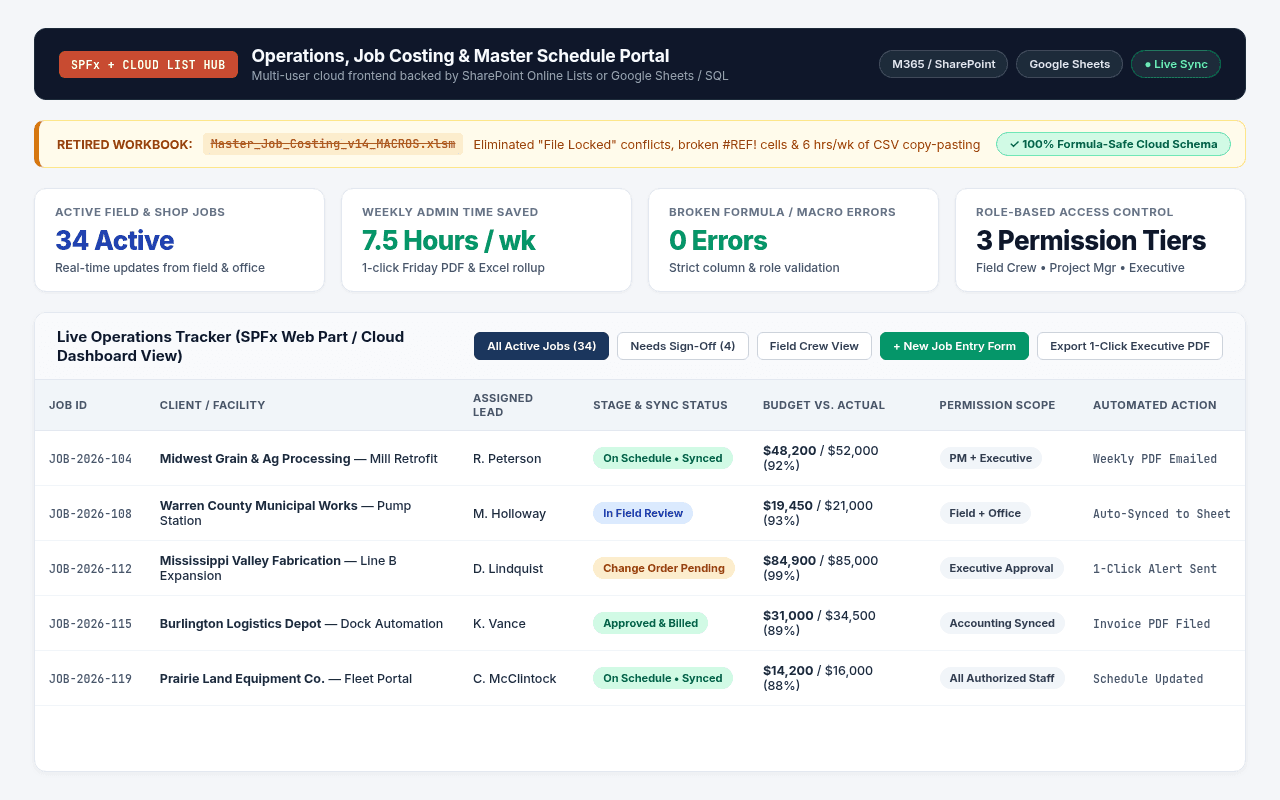
A fragile 15-tab Excel & VBA master sheet where one accidental edit breaks formulas and someone spends hours every week copy-pasting CSV exports.
A locked-down SharePoint List + custom SPFx dashboard (or automated Google Workspace / Sheets app) with clean staff forms, role-based views, and 1-click PDF reports.
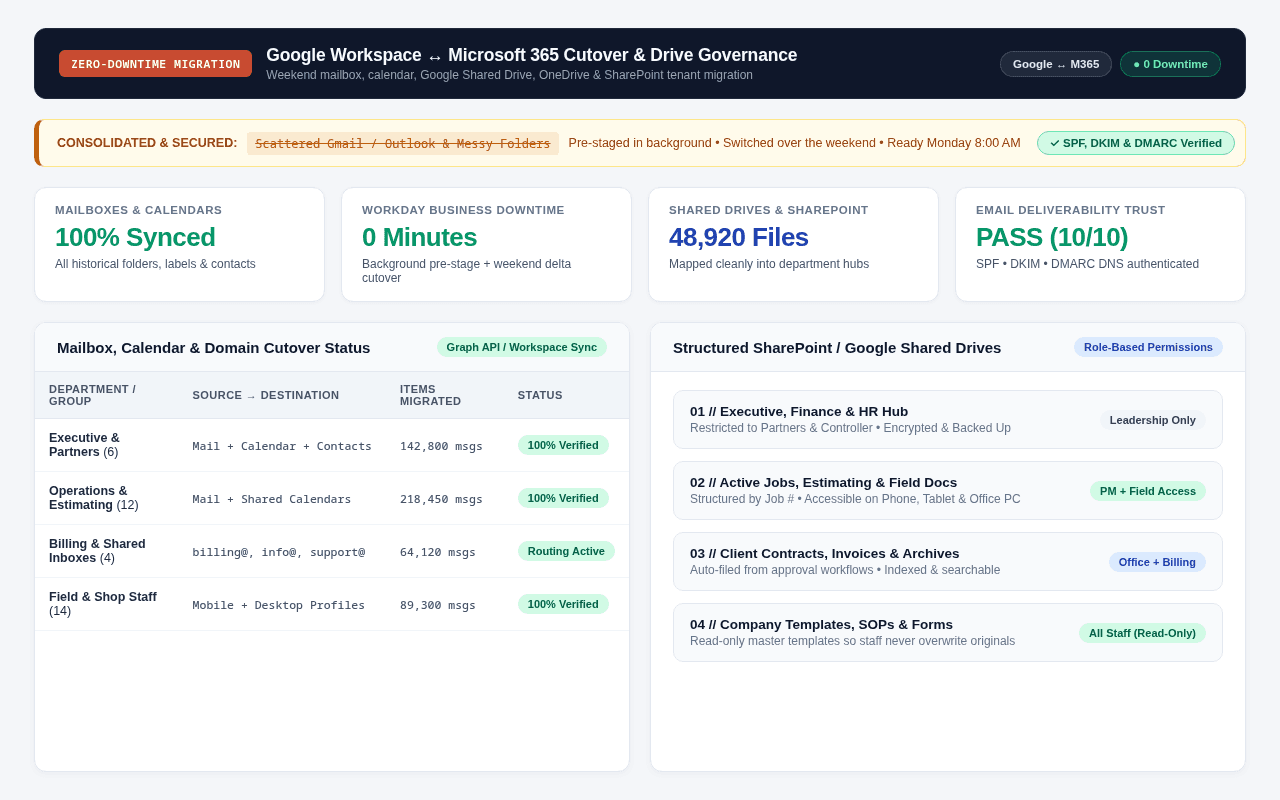
Have an Excel/VBA sheet, broken workflow, or cloud migration like this?
Send a quick note describing your current setup. We'll walk through it together (on-site within 100 miles of Monmouth or via Google Meet) and I'll give you a plain-English roadmap and flat price before you spend $1.