From Fragile Excel & VBA to a Live Cloud Operations Hub
Almost every growing business has that one master Excel workbook or Google Sheet that runs the company—job costing, inventory, scheduling, or financial tracking. Once multiple people use it, formulas get overwritten, VBA macros break after Office updates, and someone spends 6 hours every week manually fixing tabs.
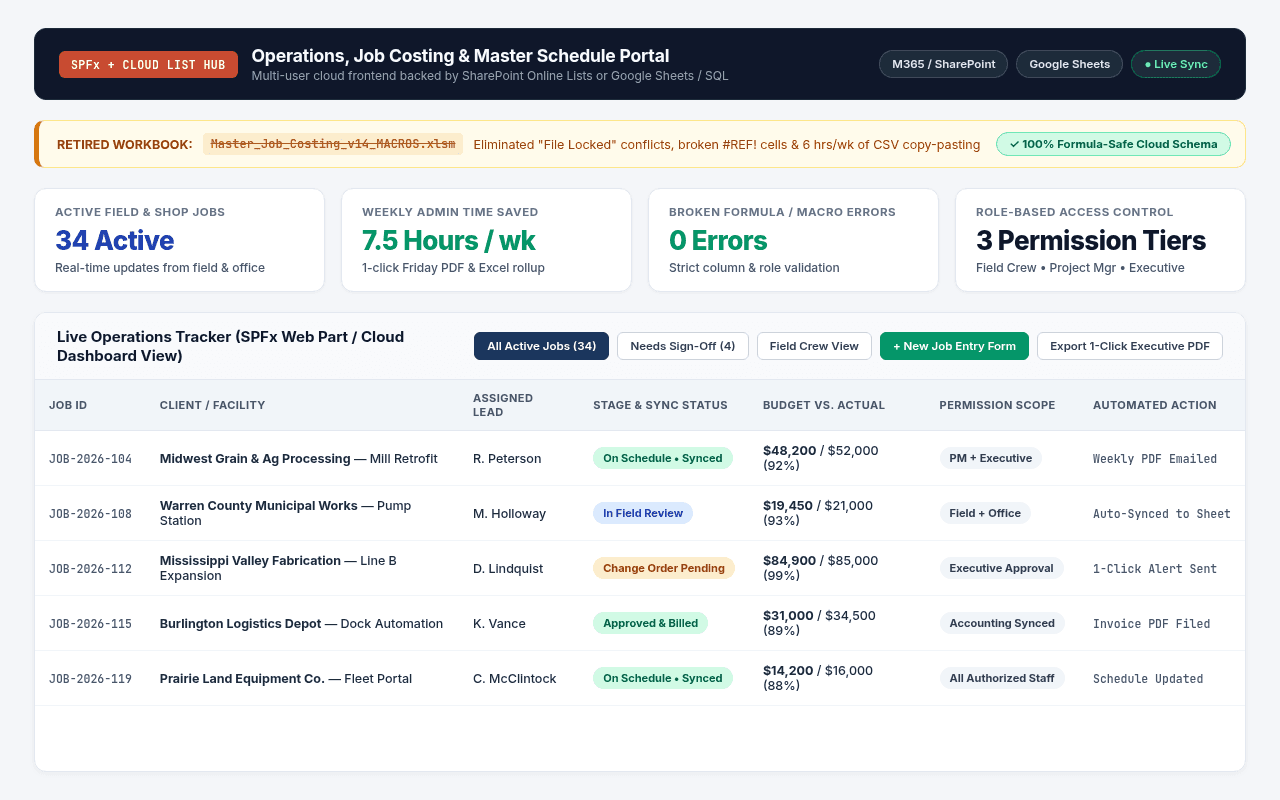
Your whole team works from one live dashboard at the same time—without broken formulas, "File Locked for Editing" popups, or hours of Friday afternoon copy-pasting.
- Master Excel workbooks with brittle VBA macros that break whenever someone renames a column or updates Office
- "File is locked for editing by another user" bottlenecks that stall project managers and office staff
- Hours wasted every week exporting CSVs from billing or field tools and pasting them into summary tabs
- Zero permission control—anyone with the file link can see sensitive margins or accidentally delete rows
- Structured cloud data backend (SharePoint Lists in M365 or locked Google Sheets / SQL in Google Workspace)
- Clean, foolproof front-end dashboard (custom SPFx React web part or web portal) where staff enter updates without touching formulas
- Role-based views so field crews, office staff, and executives only see the columns and numbers meant for them
- 1-click automated weekly PDF & Excel executive rollups emailed automatically on schedule
Built Inside Your Ecosystem: Microsoft 365 or Google Workspace
Whether your business runs on Microsoft 365 (SharePoint, Excel, Outlook) or Google Workspace (Google Sheets, Drive, Gmail)—or wants to migrate from one to the other—we build the solution inside the tools you already pay for:
How We Build It in Microsoft 365
SharePoint Lists + Custom SPFx Web Parts + Excel/VBA Modernization
- Migrate raw Excel tables into indexed SharePoint Online Lists with strict column validation and item-level permissions.
- Build a custom SharePoint Framework (SPFx) React web part right inside your SharePoint page for fast filtering, inline status updates, and KPI rollups.
- Keep Excel where it shines: connect live Power Query / VBA reporting templates directly to the SharePoint backend so finance still gets 1-click spreadsheets.
How We Build It in Google Workspace
Google Sheets + Apps Script + Custom Web Dashboards
- Move fragile local Excel files into structured Google Sheets with protected ranges, automated validation, and Google Drive permission governance.
- Write custom Google Apps Script pipelines that pull data automatically from forms, emails, and APIs—replacing broken desktop VBA macros.
- Build a clean web interface or Google Sites / Looker dashboard on top so staff never have to dig through raw spreadsheet tabs.
How We Scope & Deliver It
No open-ended hourly surprises. Every migration, spreadsheet automation, or SharePoint build follows four straightforward steps:
Audit Your Current Workbook
You show me the Excel file, VBA macros, or Google Sheet causing headaches. I map every formula, input, and report it produces.
Structure the Cloud Data Layer
We move the fragile tables into a clean SharePoint List, protected Google Sheet, or cloud database where formulas cannot be accidentally overwritten.
Build the Clean Front-End Interface
We deploy a custom SharePoint (SPFx) web part or web dashboard tailored to how your team actually enters and reviews jobs.
Automate the Weekly Reports
Summary reports, job-costing sheets, and PDF exports run automatically—saving 5 to 10 hours of manual spreadsheet work every week.
Other Cloud & Automation Blueprints
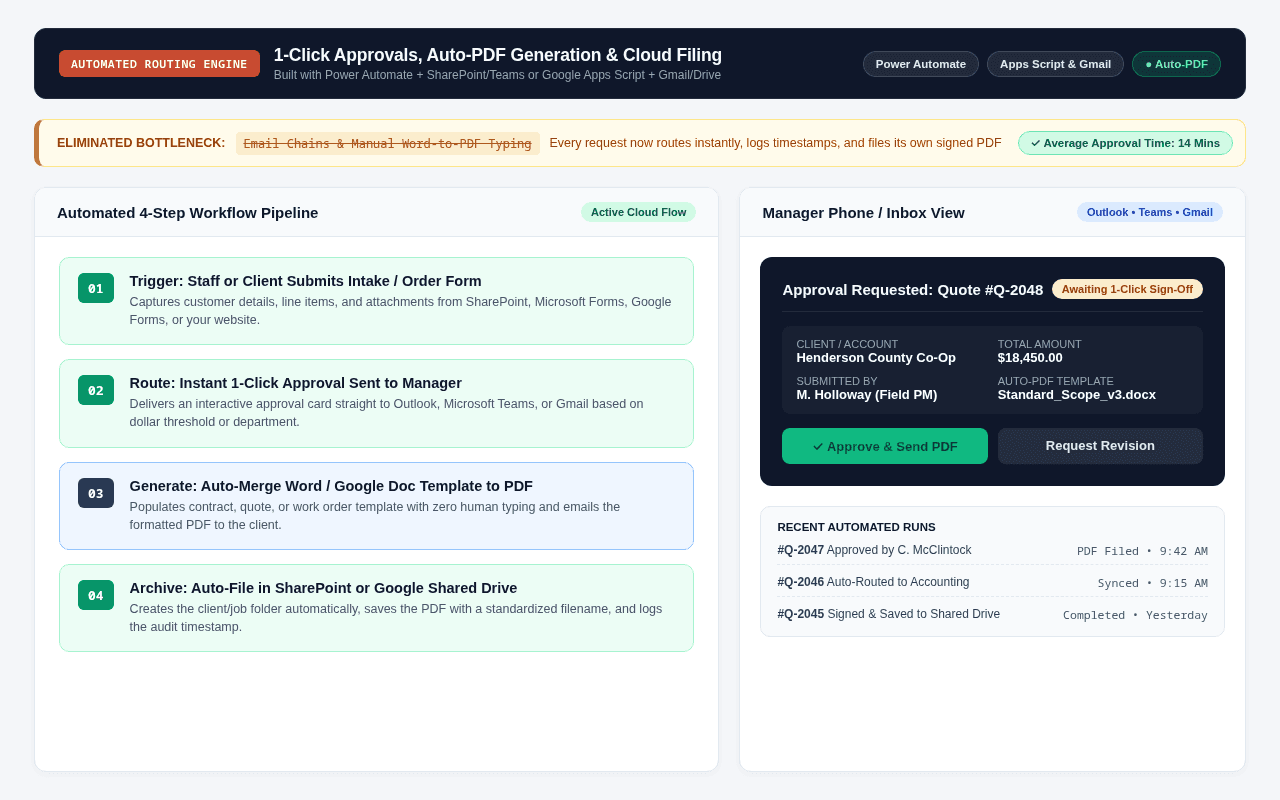
Approvals and onboarding stall in scattered email threads, while staff manually re-type form info into Word templates, PDFs, and tracking sheets.
A 1-click Power Automate or Google Apps Script pipeline that routes approvals in Teams/Outlook/Gmail, auto-generates PDFs, and logs every step.
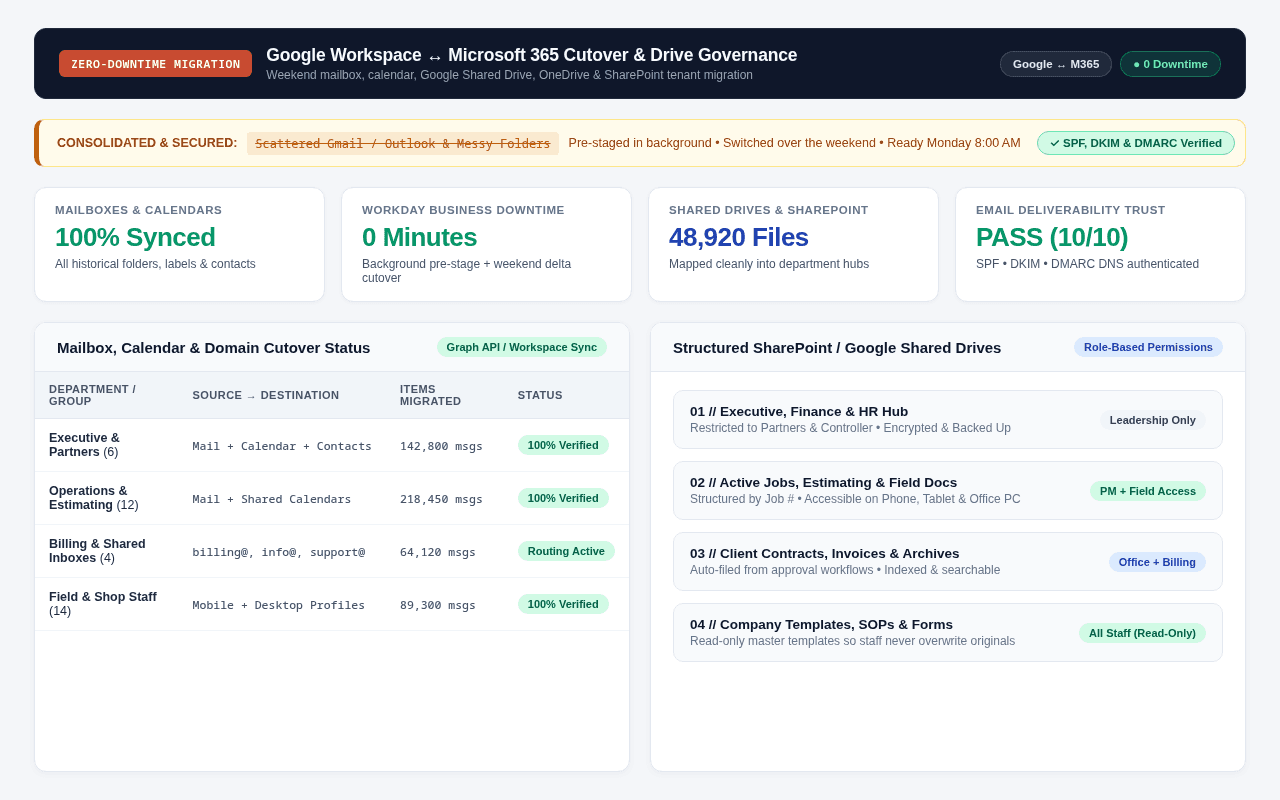
Have an Excel/VBA sheet, broken workflow, or cloud migration like this?
Send a quick note describing your current setup. We'll walk through it together (on-site within 100 miles of Monmouth or via Google Meet) and I'll give you a plain-English roadmap and flat price before you spend $1.